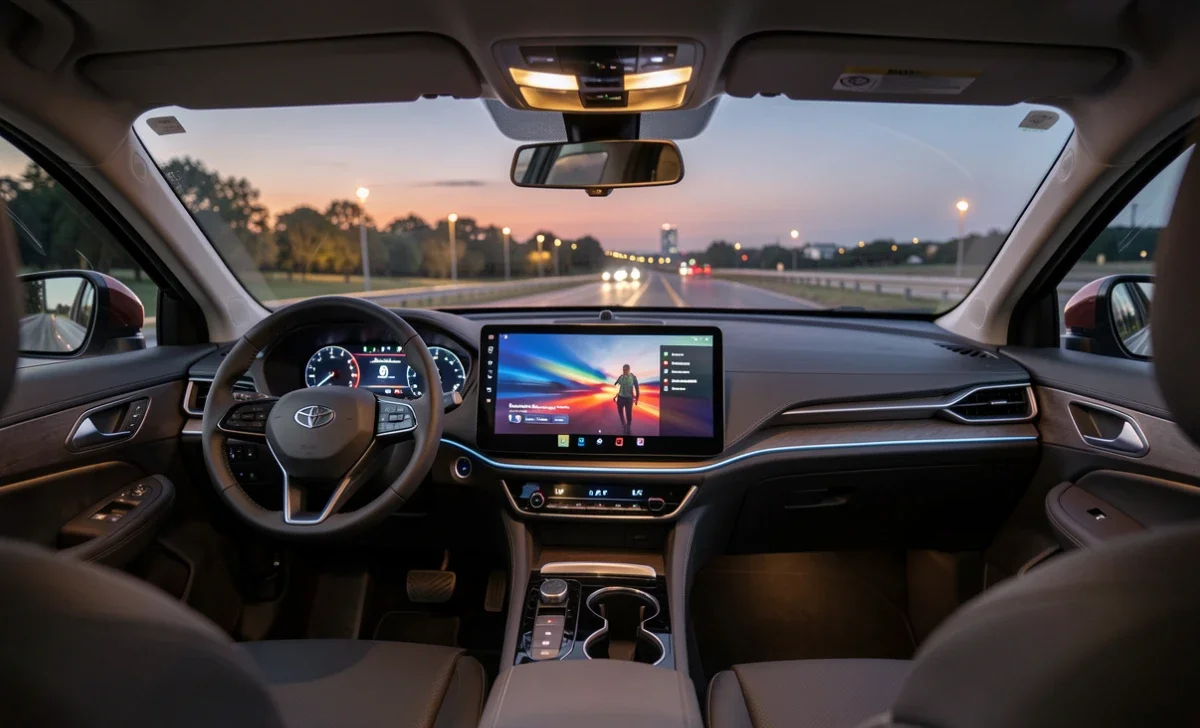
In-car streaming lets you access music, podcasts, and video directly from your car's built-in screen, without needing to mirror your phone. It works through native apps installed on the infotainment system, your phone's hotspot, or a built-in data plan from the automaker. Electric vehicles have accelerated this shift, giving drivers and passengers a real way to pass the time during charging stops. The feature is becoming standard across new models, though the setup varies depending on the car.
Most vehicles today offer some form of streaming, from basic Spotify integration to full video apps like Netflix and YouTube. The system connects through the car's own internet or borrows from your phone's data. If you drive an older car, aftermarket screens or a mounted tablet can get you part of the way there. Understanding how it all works helps you figure out whether this feature is worth seeking out in your next vehicle.
Why In-Car Streaming Has Become a Standard Feature
Walk into any car dealership today, and you'll notice the screens are bigger, sharper, and doing far more than showing navigation. In-car streaming has moved from a talking point to a real expectation for most buyers.
Part of this comes from habit. We're used to accessing whatever we want to watch or listen to on demand, and that expectation doesn't stop at the car door. Automakers have responded by building vehicles that connect to Spotify, YouTube, and Netflix directly through the infotainment system.
Electric vehicles have pushed this further. A charging stop of 20 to 40 minutes used to feel like wasted time. With a capable EV entertainment system, it becomes a chance to catch up on a show or finish a podcast. Immersive entertainment is expanding into every corner of daily life; you can see this clearly in industries like live sports and golf, where experiences are being completely rethought, as explored in coverage of events like the PGA Innovation Showcase. The car is simply the next space catching up.
How In-Car Streaming Actually Works
Not all streaming in cars works the same way, and the method matters more than most buyers realise. Here's a clear breakdown of what's available.
Built-in native apps
Some cars have a built-in app store or pre-installed streaming services. Tesla is the clearest example, offering Netflix, YouTube, and Hulu on the center screen while parked. The car connects through its own SIM card and data plan, so you don't need your phone at all.
Phone mirroring (CarPlay and Android Auto)
Many cars display your phone's apps on the screen through Apple CarPlay or Android Auto. This works well for audio streaming, but video apps are usually blocked while the car is moving. It also pulls from your phone's data, not the car's.
HDMI inputs and streaming sticks
Some vehicles include HDMI ports that let you plug in a Fire TV Stick or Chromecast. It's not common, but it gives you more control over what you watch without needing a built-in plan.
Hotspot vs. built-in data
Your car either has its own SIM card with a monthly plan from the manufacturer, or it borrows a connection from your phone's hotspot. Built-in data tends to be more consistent on longer drives, especially in areas with a patchy signal.
The content world itself is shifting fast. AI is reshaping how shows and films are created, which means more content is being produced for platforms you'll eventually access from your car seat. This overview of AI in Hollywood gives a useful sense of where streaming content is heading.
How Much Data Does Car Video Streaming Use
This is one of the first questions people have, and it's worth being direct about it. Streaming video uses a large amount of data.
A 45-minute show in HD uses roughly 1.5GB to 2.5GB of data. A two-hour film can push between 3GB and 6GB, depending on quality settings. If your car relies on your phone's hotspot and your plan has a data cap, that adds up fast.
If your car comes with a built-in data plan, check what's included. Many automakers offer a free trial for the first few months, then charge a monthly fee. Compare that against your phone plan's hotspot rate before assuming one is cheaper.
The simplest fix for heavy users is to download content before you leave. Most streaming apps let you save episodes and films for offline playback. If you do that at home on Wi-Fi, you sidestep the data question entirely.
Which Cars Have Built-In Streaming
Tesla is still the most complete setup on the market. Their vehicles support video apps while parked and audio apps while driving, all through a built-in connection. You can plug in a controller and play a game like Stray on the center screen during a charging stop, and it works well. For anyone who follows gaming updates regularly, like readers keeping up with changes such as the Arc Raiders blueprint patch, having a spare 20 minutes of screen time at a charging station fits naturally into that habit.
General Motors has expanded native Apple Music access across several 2025 and 2026 Cadillac and Chevrolet models. Volvo has built in Spotify with voice controls that work reliably while driving. Nissan added TuneIn through its Google-built-in system for podcast and radio streaming.
The direction is clear. More manufacturers are moving toward native apps rather than relying only on phone mirroring. Within the next few years, built-in video during parking or charging stops will likely be standard, not a premium add-on.
Backseat Streaming for Families
If you travel with children, rear-seat entertainment has improved significantly. Instead of a DVD player or handing over a tablet, some cars now offer headrest screens that stream content independently from the front display.
Each screen can show different content at the same time. One child watches a cartoon; another watches something else entirely. No arguing over the queue, and no worrying about a tablet running out of battery an hour into a long drive.
Backseat streaming availability varies by model, so it's worth asking specifically when you shop. Some systems come standard; others are an option package. If your family takes regular long trips, it's one of the more practical features to look for.
What About Older Cars?
Most coverage of in-car streaming focuses on brand-new vehicles, but the majority of people drive cars that are five to ten years old. The options are more limited, but they exist.
Some aftermarket head units support CarPlay or Android Auto, which gives you access to audio streaming apps. Swapping out an older screen for a newer unit runs from around $200 to $800, depending on the brand and whether you install it yourself.
If a full-screen replacement isn't practical, a tablet mounted to the headrest is a straightforward alternative. It won't be as clean as a factory system, but it works well for passengers, especially in the back seat. A decent adjustable mount costs under $30 and pairs with a shared hotspot from your phone.
Is In-Car Entertainment Distracting?
This is a fair question and worth taking seriously. Automakers restrict video playback while the car is moving, but a large, bright touchscreen can still pull attention even when it's just displaying a music queue or map.
Research has shown that interacting with a touchscreen can take a driver's eyes off the road for several seconds at a time, even for simple tasks. That's a real concern as screens get larger and more complex.
Voice controls help. Using your voice to change a song or adjust the temperature keeps your hands on the wheel and your eyes forward. The safest approach is to set up what you need before you start moving and rely on voice for anything that comes up after.
FAQs
Can you watch Netflix in a car?
Yes, but only while parked in most cases. Tesla lets drivers and passengers watch Netflix when the vehicle isn't moving. Other manufacturers are adding similar features, particularly in EVs, where charging stops create a natural window for video.
Does in-car streaming use a lot of data?
It can. Streaming HD video uses roughly 1.5GB to 2.5GB per hour. If your car uses your phone's hotspot, keep a close eye on your data cap. Cars with built-in data plans charge a separate monthly fee, which may or may not be cheaper depending on your current phone plan.
Is in-car entertainment distracting for the driver?
It can be if misused. Video playback is locked while the car is in motion on most vehicles. The main risk is touchscreen interaction during driving. Using voice commands instead of tapping the screen reduces that risk significantly.
Which cars have built-in streaming?
Tesla leads the category. General Motors models with native Apple Music, Volvos with Spotify integration, and Nissan vehicles with Google built-in are strong examples. The list is growing quickly. When you test drive, ask specifically about native app support rather than just CarPlay or Android Auto compatibility.
This article reflects general information available as of 2026. Feature availability varies by car model, trim level, and region. Always confirm specific streaming capabilities directly with the manufacturer or dealer before purchasing.